
Client Intake Form Template (Free + Examples for Any Business)
Copy-paste client intake form template with examples for designers, consultants, and agencies. Streamline onboarding and look professional from day one.
2025-12-28
A solid client intake form template is your ticket to a smoother, more professional client relationship right from the start. Forget endless email chains where crucial details get lost. This guide is about getting everything you need—contact info, project goals, and timelines—in one clean shot, before you even pick up the phone for the first call. This simple document saves time, sets clear expectations, and makes you look like the organized pro you are.
What's in this guide:
A copy-paste client intake form template
What fields to include (and what to skip)
Industry-specific examples for designers, consultants, and agencies
Best practices to onboard clients faster
What Is a Client Intake Form?
A client intake form is a simple questionnaire you send to potential clients at the very beginning of your working relationship. Its primary job is to collect essential information about the client and their project before you dive into deeper conversations. Think of it as a structured "get to know you" document for your business.
Using a new client intake form is crucial for a few key reasons. First, it streamlines your onboarding process by gathering all the basic details in a consistent format, saving you from repetitive data entry and chasing down information via email. Second, it helps you qualify leads by quickly identifying if a client's budget and timeline align with your services. Finally, sending a professional, well-designed form makes an excellent first impression, setting the stage for a smooth and organized project from day one.
What to Include in a Client Intake Form
Crafting the perfect client onboarding form is about balancing detail with brevity. You need enough information to have a productive first conversation, but not so much that you overwhelm a potential client. Here are the essential components every effective client questionnaire template should include. (Need inspiration? Browse more form examples.)
Contact Information: The basics—full name, email, phone number, and company name.
Project Details: Get to the heart of the "why" with questions about project type, scope, and goals.
Budget and Timeline: Two of the most important qualifying questions to ensure you're on the same page.
Communication Preferences: Ask how they prefer to collaborate (e.g., email, Slack, scheduled calls).
How They Found You: A simple question that provides invaluable marketing insight.
Additional Notes/Files: An open-ended field for any extra context or file uploads (like a project brief).
Client Intake Form Template
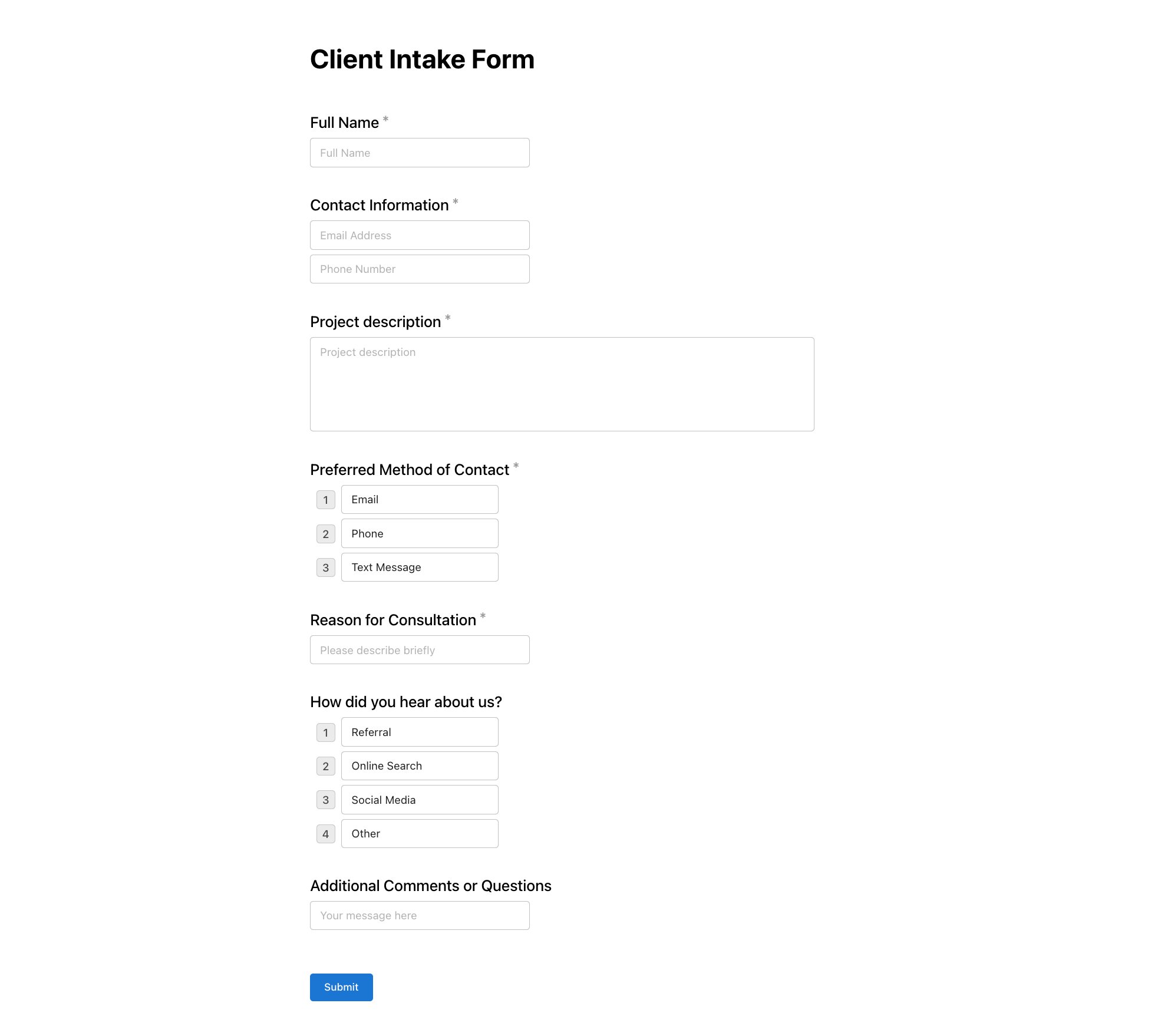
Ready to get started? Here is a clean, effective, and copy-paste-ready client intake form template that you can adapt for your business. It’s designed to be comprehensive but not overwhelming, gathering just the right amount of information to prepare you for a successful first call. Feel free to copy this template as-is, customize it to fit your needs, or use it to generate a custom version in Notie.
Contact Information
Full name
Email address
Phone number
Company/Organization
Project Details
What service are you interested in?
Describe your project or goals.
What's your deadline?
Budget & Logistics
What's your estimated budget?
How did you hear about us?
Preferred contact method
Client Intake Form Examples by Industry
A one-size-fits-all form works, but a specialized client intake form shows you’re an expert who understands the nuances of a client’s industry. Tailored questions not only get you better information but also build immediate trust and credibility. Here are a few examples to inspire your own custom template.
Freelance Designer
Please upload any existing brand assets (logos, brand guides, fonts).
Share links to 3-5 designs or websites you admire. What do you like about them?
Describe your target audience and the visual style they connect with.
What are 3-5 keywords that describe your desired brand aesthetic (e.g., minimal, bold, playful)?
Consultant/Coach
What is the single biggest challenge you're currently facing?
What have you already tried to solve this problem?
What does a "successful outcome" from our work together look like to you?
What is your availability for weekly or bi-weekly sessions?
Marketing Agency
Describe your ideal customer in detail (demographics, pain points, motivations).
Who are your top 3 competitors, and what do you see as their marketing strengths?
Please provide links to your current website and social media profiles.
What is your unique selling proposition (USP)?
Web Developer
What is the URL of your current website, if you have one?
Who is your current hosting provider?
List any must-have functionality for the new site (e.g., e-commerce, blog, booking system).
Do you require integrations with any third-party tools (e.g., CRM, email marketing service)?
Best Practices for Client Intake Forms
Having a great template is only half the battle. How you use it is what truly separates a smooth onboarding experience from a clunky one. Follow these best practices to make your client intake form a powerful tool for building strong client relationships from the start.
Keep it short. Don't ask for everything upfront. Aim for a form that takes 5 minutes or less to complete. Your goal is to gather enough information for the first call, not the entire project brief.
Make required fields obvious. Use a simple asterisk (*) to clearly mark non-negotiable questions. This prevents user frustration and ensures you get the critical information you need.
Use conditional logic. Show or hide questions based on previous answers. For example, if a client selects "Web Design," then show questions about hosting. This creates a smarter, more personalized experience.
Include a timeline question. Asking for their ideal deadline helps you manage expectations from day one and quickly assess if the project is feasible for your current schedule.
Send it before the first call, not after. This is the golden rule. Sending the form beforehand allows you to use the call for strategic discussion instead of basic fact-finding.
Follow up if they don't complete it. People are busy. A gentle, polite email reminder 24 hours before your meeting can ensure you have the information you need to come prepared.
For more workflow tips like this, take a look at our guide on Client Onboarding Best Practices.
Create Your Client Intake Form in Seconds
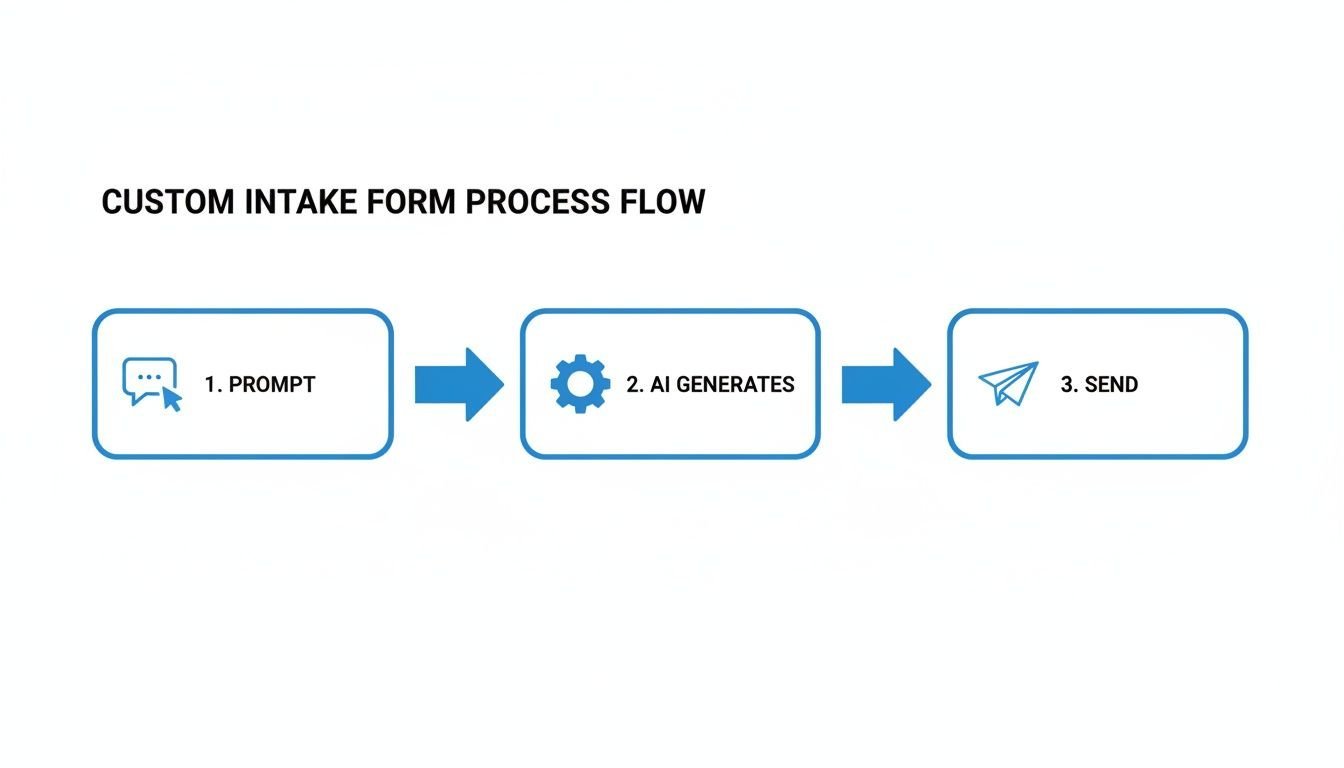
Building a client intake form from scratch can be tedious. Instead of wrestling with fields and formatting, you can use AI to generate a polished, professional form in seconds. Simply describe what you need, and let the technology do the heavy lifting.
With a tool like Notie, you can use a simple prompt to get exactly what you need. For example:
"Create a client intake form for a freelance designer with fields for contact info, project type, budget, timeline, and style preferences."
In moments, Notie generates a complete form ready to send. Because Notie combines forms and documents in one place, you can create a seamless onboarding experience that impresses clients from the very first interaction. Plus, with no response caps, you never have to worry about hitting limits as your business grows. This powerful combination helps you create all kinds of Form Examples quickly and efficiently.
Try Notie for free and create your client intake form in seconds!