
Build a Document Management Workflow That Actually Works
Stop chasing paperwork. Learn to build a document management workflow that streamlines approvals, boosts security, and eliminates chaos for good.
2025-12-10
Think of a document management workflow as the formal, automated process that guides a file from its first draft all the way to its final archive. It's the system that replaces messy digital folders and endless email chains with a predictable, efficient path. This isn't just about being tidy; it's the bedrock of a clear, functioning operation, making sure every document is handled correctly, every single time.
Why You Can't Afford to Ignore Your Document Workflow
Moving past a simple "save-as" approach to file storage is a strategic decision. It’s about getting back your team’s most valuable resource—time—and seriously cutting down on business risks. When your team knows the exact journey a contract, invoice, or project brief needs to take, the guesswork vanishes. That clarity is the first, and most important, step toward a more efficient business.
Instead of hunting for signatures or digging through shared drives for the actual latest version, a proper document management workflow imposes order. It’s like a digital air traffic controller, routing information to the right people at the right moment.
Cut Out the Errors, Speed Up the Approvals
Let's be honest, manual processes are breeding grounds for human error. A file gets dropped in the wrong folder, an old version is accidentally sent to a client, or a critical approval step is skipped. A workflow automates these hand-offs, which dramatically reduces the kind of mistakes that lead to expensive delays. Imagine a system that physically prevents a contract from being sent to a client before the legal team has given it the green light.
This kind of structure has a direct impact on your bottom line. Just look at the benefits:
- Faster Turnaround Times: Approvals that used to drag on for days can now be wrapped up in a matter of hours.
- Improved Accountability: Every touchpoint is tracked, giving you a crystal-clear audit trail.
- Enhanced Security: You control who sees what at every stage, keeping sensitive information locked down.
- Consistent Compliance: Workflows make sure regulatory and internal policies are baked into the process, not left to chance.
A well-designed document management workflow does more than just organise files. It manages the very processes that keep your business running, turning frustrating bottlenecks into smooth, automated channels.
The Bigger Picture in a Digital-First World
The push for smarter, more secure document handling isn't happening in a vacuum; it's a global shift. We can see this trend playing out in the Ukraine Document Management Systems (DMS) market, which has grown consistently as businesses and government agencies alike embrace digital transformation. National e-governance initiatives have been a huge catalyst, speeding up DMS adoption to increase transparency, slash paperwork, and make public administration run more smoothly. You can find more details on this market growth and discover more insights about Ukraine’s digital shift. This worldwide movement highlights a crucial reality: structured workflows are no longer a "nice-to-have"—they're essential for any modern, resilient organisation.
Designing a Workflow That Fits Your Business
A generic document management workflow is a good starting point, but a truly effective one is built around the specific pulse of your business. It needs to reflect how your teams actually create, collaborate on, and finalise their work. This isn't about forcing your processes into a rigid box; it’s about building a framework that removes friction and supports the way you already operate, only better.
The first step is to get out there and map your current processes. Don’t just assume you know how a contract gets approved or how an invoice is paid—go ask the people who do it every day. You'll almost always uncover hidden steps, frustrating bottlenecks, and clever workarounds that a high-level view completely misses. This on-the-ground understanding is the absolute foundation for a workflow that people will actually use.
Standardise Creation and Capture
Consistency starts right at the beginning—the moment a document is created. If you don't standardise this step, you’re basically building your entire workflow on a shaky foundation. The goal is simple: ensure every new document enters the system in a predictable, uniform way.
For digital documents, templates are your best friend. Instead of team members creating invoices or project proposals from scratch, provide pre-built templates in a system like Notie. This small change ensures all necessary fields are included from the start, branding is always consistent, and the document is already in the right format for the next step in its journey. You can even apply this principle to your big-picture strategy; using a structured approach like the Lean Business Model Canvas brings similar clarity to your planning documents.
When it comes to physical documents, the key is a consistent capture process. Designate a specific person or department to handle all scanning. You'll want to establish clear rules for scanning quality, file naming conventions (e.g., Invoice_ClientName_Date), and the initial metadata tags to apply. This prevents you from creating a digital junk drawer full of poorly labelled files that are just as hard to find as their paper predecessors.
A well-designed workflow anticipates the entire lifecycle of a document from the moment it's created. By standardising the input, you dramatically simplify every subsequent step of management, review, and retrieval.
Implement Clear Review and Approval Chains
This is where many workflows either shine or fail spectacularly. A poorly defined approval process is a recipe for bottlenecks, confusion, and endless delays. The secret is to map out a logical sequence that gets the document in front of the right eyes in exactly the right order.
Think about the nature of the document to figure out the best approval structure:
- Sequential Approval: This is your go-to for processes where one person's sign-off is needed before the next person can even look at it. A classic example is a manager approving an expense report before it goes to finance.
- Parallel Approval: Use this when you need input from multiple people or departments at the same time. For instance, a new marketing campaign creative might be sent to the legal, brand, and product teams simultaneously to speed up feedback.
This kind of process flow visualises the core journey of a document from its creation to its final, archived state.
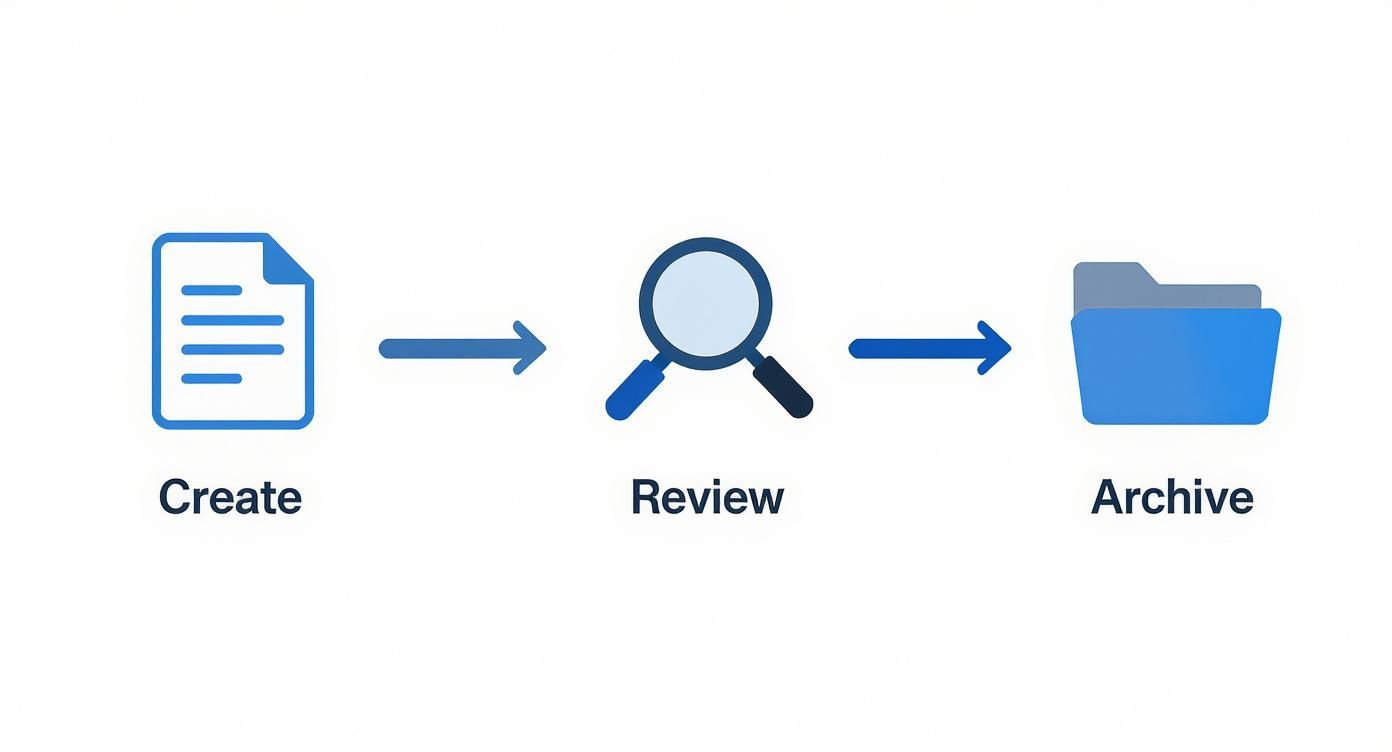
The visualisation really highlights that a successful document management workflow is a linear progression with distinct, value-adding stages—not a chaotic mess of back-and-forth emails.
A crucial piece of this puzzle is integrating digital signatures, which are often the final, legally binding step. In Ukraine, the Diia platform has completely changed how administrative processes work by embedding digital signatures. They were used over 48 million times to execute legally binding documents without a single piece of physical paper. It's a powerful example of how integrating secure sign-offs directly into a digital workflow can slash bureaucracy.
Organise for Effortless Storage and Retrieval
The final resting place for a document shouldn't be a digital graveyard. Your storage and archival strategy is what determines whether a file can be found in seconds or is lost for hours. A logical folder structure is the first layer of defence. Start by creating a top-level hierarchy that makes intuitive sense for your business—maybe by department, client, or project.
But folders alone are not enough. This is where metadata comes in. Metadata is simply data about your data. Think of it as a rich set of labels you can attach to any document, such as:
- Document Type (Invoice, Contract, Report)
- Client Name
- Project ID
- Status (Draft, Approved, Archived)
- Renewal Date
Using metadata tags transforms your document repository from a simple collection of folders into a powerful, searchable database. Instead of having to remember exactly where a file was saved, a team member can just search for all "Contracts" with "Client X" that are "Approved." This makes retrieval almost instantaneous and far less prone to human error.
When you combine this with granular access controls—ensuring only the finance team can see financial documents, for instance—you create a secure, orderly, and highly efficient system for managing your documents long-term.
Putting Your Document Workflow on Autopilot
So, you’ve designed a solid document management workflow. That’s a massive step forward, but letting automation take the wheel is where things get really interesting. It’s the difference between having a map and having a self-driving car – you’ve already charted the course, and now you’re letting the system handle the driving.
Automation takes the repeatable, low-value tasks that clog up your team's day and puts them on autopilot. Think about all the time spent routing invoices, chasing down approvals, or moving old contracts into an archive. These are the perfect jobs to hand over to a smart system.
Spotting Your Best Automation Opportunities
The first step is to look for the friction in your current process. Where do documents get stuck? What tasks make your team groan? These bottlenecks and manual chores are your low-hanging fruit—the best places to introduce automation for an immediate, noticeable impact.
Here are a few classic examples I see all the time:
- Smart Routing: Instead of someone manually forwarding a new invoice to the finance team, you can set a rule. For example, any document tagged as an "Invoice" over £1,000 gets sent directly to the Head of Finance. No pit stops.
- Automated Nudges: Stop chasing people for signatures. An automated workflow can send a polite reminder to a manager if a document has been sitting in their queue for more than 48 hours.
- Instant Status Updates: The system can be configured to automatically flip a document's status from "Pending Review" to "Approved" the moment the final signature is in place.
- Effortless Archiving: Set a simple rule to automatically move a contract to the "Archived Contracts" folder one day after its expiration date. This keeps your active workspace clean and organised without anyone lifting a finger.
This all works on simple "if this, then that" logic. You define a trigger (like a new file appearing in a folder) and then an action (like notifying the project manager).
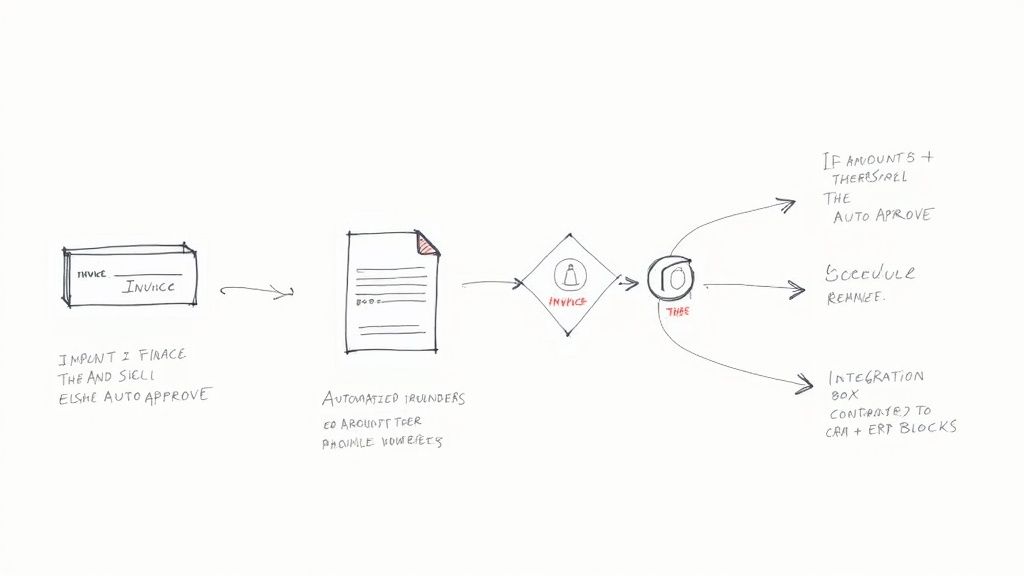
Mapping your process out visually, like in the sketch above, makes it crystal clear where automation can step in. Every decision point, like "Is Invoice < £500?", becomes a simple, automated rule that takes one more manual task off someone's to-do list.
To see just how big the difference is, let's compare the old way with the new way.
Manual vs Automated Workflow Tasks
| Task | Manual Process | Automated Workflow Process |
|---|---|---|
| New Invoice Arrival | An employee manually downloads the invoice, saves it, and emails it to the correct approver. | The system automatically imports the invoice from an email, tags it, and routes it to the designated approver based on preset rules (e.g., amount, department). |
| Approval Follow-Up | A team member has to track pending invoices in a spreadsheet and manually send reminder emails to approvers. | The system automatically sends reminders after a set period (e.g., 48 hours) and escalates to a senior manager if there's no response. |
| Data Entry into ERP | After approval, an accounts clerk manually types the invoice details (vendor, amount, date) into the ERP system. | Once approved, the system automatically syncs the invoice data with the ERP, creating a payable record without any human data entry. |
| Contract Archiving | Someone must periodically check contract expiration dates and manually move expired files to an archive folder. | The workflow automatically monitors expiration dates and moves the contract to the archive folder one day after it expires, notifying relevant stakeholders. |
As you can see, automation doesn't just speed things up; it makes the entire process more reliable and less prone to human error.
The Real Power Lies in Integrations
A truly autonomous workflow doesn't operate in a vacuum. Its power multiplies when you connect it to the other software your business depends on every single day, like your CRM or ERP. Integrations are what break down the frustrating information silos between different departments and their tools.
When your systems can talk to each other, you create a seamless flow of information that doesn't require constant manual upkeep. This is absolutely critical for keeping your data accurate and avoiding the classic mistakes that happen when people re-type information from one screen to another.
An integrated workflow means a single piece of information, like a new client's address, only needs to be entered once. From there, it automatically populates across your contract templates, CRM profile, and invoicing software. That’s how you guarantee consistency and save a ton of time.
Real-World Integration Scenarios
Let’s look at how this plays out in the real world. Connecting your document platform to core business systems like a CRM or ERP unlocks some seriously powerful automations.
CRM Integration: Imagine a deal is marked "Closed-Won" in your CRM. An automation can instantly generate the client contract from a template and drop it into the legal team's review folder. This gets the onboarding process started immediately.
ERP Integration: Once an invoice is fully approved in your document workflow, the integration can automatically create a corresponding "bill to be paid" record in your ERP system. This completely removes manual data entry and gives you a real-time view of your finances.
Project Management Tools: When a new project brief gets its final signature, a workflow can automatically create a new project board in a tool like Asana or Trello, ensuring the team has the approved scope from day one.
These connections turn your document workflow into the central nervous system for your entire operation. This isn't just a hypothetical benefit; it’s a strategy companies are actively using to grow. In Ukraine, for example, most medium and large companies have adopted electronic document management (EDM) systems for core functions like tax reporting. They've discovered that automating workflows for routing, task delegation, and e-signatures is a strategic move to cut down manual approval chains and process everything faster. You can read more about workflow automation as a strategic solution for business growth.
By connecting your systems, you're doing more than just moving files around. You're building a smarter, more responsive business.
Setting Up Roles and Permissions for Airtight Security
A document workflow without proper security is like a house with unlocked doors. You can have the slickest process in the world, but if the wrong person gets their hands on sensitive information, the whole system crumbles. Setting up a solid foundation of roles and permissions isn't just a tech chore; it’s a fundamental business practice that protects your data, keeps you compliant, and brings a bit of order to the chaos.
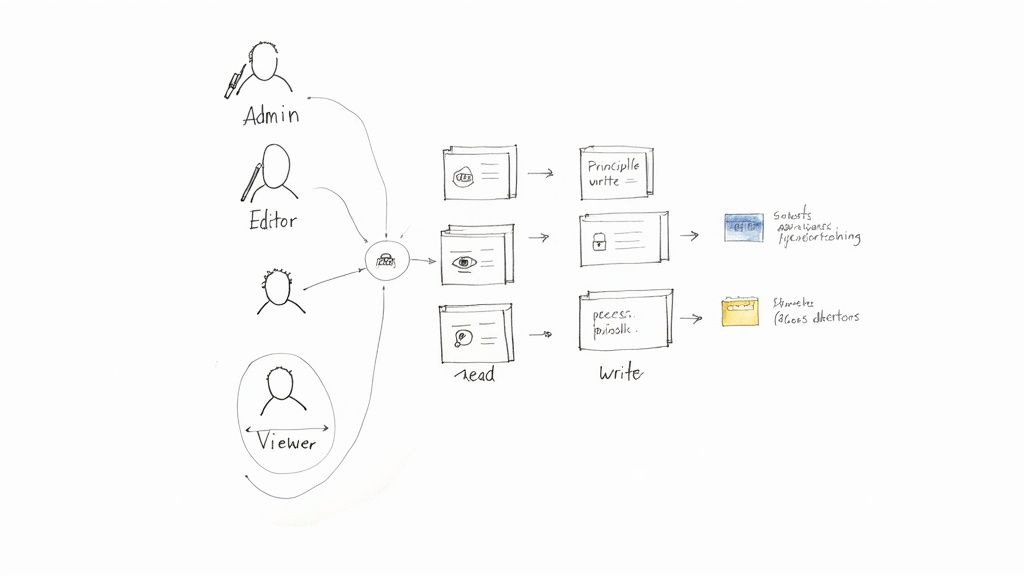
The philosophy guiding all of this is the principle of least privilege. It's a simple but incredibly powerful concept: give every user the bare minimum level of access they need to do their job—and not a drop more.
This single idea dramatically shrinks your security risks. If an account is ever compromised, the potential damage is contained because that user only had access to a tiny slice of the company’s data.
Defining Your Core User Roles
Before you start handing out access to individuals, you need to think in terms of roles. Trying to manage permissions person-by-person is a fast track to a migraine. Instead, group your users into logical roles. Most platforms, including Notie, are built around a few standard types you can tailor to fit your team.
Here are the three most common roles you'll encounter:
Admin (or Owner): This is the "keys to the kingdom" role. Admins can do it all—create and delete documents, tweak workflow settings, add or remove users, and assign permissions. This role should be reserved for a select few, like a department head or the IT manager.
Editor (or Contributor): These are your "doers." They're the ones creating new documents, editing existing ones, and moving things through the review and approval stages. They can’t, however, change system-level settings or mess with other users' permissions. Most of your core team will fall into this category.
Viewer (or Read-Only): This is the most locked-down role. Viewers can open and read documents, but that's it. No changes, no comments, no moving files. It’s perfect for stakeholders who just need to stay in the loop or contractors who need access to reference materials without the ability to alter them.
My advice? Don't overcomplicate it from the start. Begin with these three basic types. You can always add more granular roles later if a clear business need pops up. Simplicity is your best friend when it comes to maintaining a secure and understandable system.
Putting Roles into Practice with Real Scenarios
Theory is great, but applying these roles to your day-to-day operations is where the magic happens. The goal is to create clear boundaries that mirror your organisational chart, making sure information is available to those who need it and hidden from those who don't. How you handle these permissions is a massive part of your overall security posture. To understand our commitment to this, you can read the full breakdown of https://notie.pro/privacy.
Let’s walk through a couple of real-world examples:
Scenario 1: The Finance Department
Your finance team needs to process invoices, but they have absolutely no business seeing sensitive HR performance reviews. In this case, you’d give the finance team Editor access to the "Invoices" folder but no access at all to the "HR" folder. The Head of HR, on the other hand, would be an Admin for their own folder but maybe just a Viewer of the final, approved financial reports.Scenario 2: The External Contractor
You’ve hired a freelance designer for a new marketing campaign. You can create a dedicated project folder and grant them Editor access to only that folder. They can upload designs and edit creative assets within their sandbox, but they can't see, touch, or even know about any other company projects. Their access is surgical.
The Importance of Regular Access Reviews
Lastly, remember that setting up roles and permissions isn't a one-and-done task. People change jobs, leave the company, or hop onto new projects. If you don't check in regularly, your carefully built security can slowly erode. This is often called "privilege creep."
Make a habit of scheduling a recurring access review every quarter, or at least twice a year. During this review, an Admin should simply go through the user list and ask a few direct questions for each person:
- Is this person still with the company?
- Is their current role still accurate?
- Do they still need access to every single file and folder they currently have?
This simple audit is one of the most effective things you can do to maintain airtight security long-term. It ensures your document management workflow remains a controlled, efficient, and secure asset for your business.
Measuring and Optimising Your Workflow Performance
So, you’ve designed and launched your new document management workflow. That’s a huge step, but the work isn’t quite done yet. A common mistake is treating a workflow like a piece of software you install and then forget about. In reality, it’s a living part of your business operations that needs regular attention to stay in top shape.
Real efficiency doesn’t come from the initial setup; it comes from a continuous cycle of measuring what’s happening, figuring out why, and making smart adjustments. Without hard data, you’re just guessing whether things are actually getting better. The goal is to move from a vague feeling of improvement to knowing exactly how much faster, smoother, or more accurate your processes have become.
What to Look For: Key Workflow Metrics
You can't fix what you can't see. The good news is that most solid document management platforms, including Notie, have reporting tools and audit trails built right in. This means you can get your hands on crucial data without adding another manual task to your team's plate.
To avoid getting lost in a sea of numbers, start by focusing on a few tangible metrics. These will give you the clearest health check on your workflow's performance.
- Average Document Cycle Time: How long does it take for a document to go from creation to its final destination (like being approved or archived)? If you see that contracts are consistently taking weeks to get through the system, it’s a red flag that something in your legal review process is causing a hold-up.
- Average Approval Time: This drills down a bit deeper. It tracks how long a document sits in someone’s queue waiting for a signature or sign-off. If one manager’s approval time is 72 hours while everyone else averages 24 hours, you've just pinpointed a bottleneck.
- Error Rate in Processing: How often are documents rejected or sent back for changes? A high error rate on something like expense reports might tell you the submission form is confusing or the instructions aren’t clear enough.
- Document Retrieval Time: How long does it take for someone to find what they need? This one is a bit trickier to track automatically, but a quick survey of your team can reveal whether your folder structure and metadata tags are actually working as intended.
Turning Numbers into Action
Gathering data is the easy part. The real magic happens when you use those insights to make intelligent changes. Think of your metrics dashboard not as a report card, but as a map showing you exactly where the opportunities for improvement are buried. When you spot a problem, the audit trail is your best friend for digging in and finding the root cause.
Let's imagine your data shows that the average approval time for invoices has jumped by 40% this quarter. A quick look at the audit trail might show that the delay always happens at the final step, right when it lands with the department head for sign-off.
A workflow that isn't measured can't be improved. KPIs transform workflow management from an art into a science, enabling you to make data-driven decisions that deliver real, quantifiable efficiency gains.
Armed with that specific piece of information, you can take targeted action. Maybe that department head is simply swamped. You could decide that any invoice under, say, £500, doesn't need their approval and can be signed off by their deputy. A quick tweak to the workflow logic to automatically route smaller invoices to the deputy could clear the bottleneck almost overnight. For more practical ideas on fine-tuning business processes, we share a lot of strategies over on the Notie blog.
Building a Culture of Continuous Improvement
Optimising a workflow isn’t a one-and-done project; it’s an ongoing discipline. Get into a rhythm of reviewing your KPIs—maybe monthly for your most critical workflows and quarterly for the rest.
Don’t keep these insights to yourself. Share them with the team and get them involved in coming up with solutions. The people using the workflow every day often have the most practical and effective ideas for how to make it better.
Based on what you find, you can make small but powerful adjustments:
- Tweak Automated Reminders: If approvals are still timing out, maybe the 48-hour reminder isn't urgent enough. Try shortening it to 24 hours.
- Refine Workflow Paths: Does a certain step always seem to cause confusion? You could add a pop-up with extra instructions or even re-route the document through a different person first for a pre-check.
- Update Your Templates: If you see a high error rate because people constantly forget to fill out a specific field, just make that field mandatory in the template. Problem solved.
When you treat your workflow as a living system that can adapt and evolve, you build a powerful engine for operational excellence. This proactive mindset ensures your processes don't just keep up with the business—they actively help it become stronger and more efficient.
Still Have Questions? Let's Tackle a Few Common Ones
Even with the best plan, jumping into a new system for managing documents can feel a little daunting. Let's walk through some of the most common questions I hear from teams who are setting up their first workflow. The goal here is to give you some practical, no-nonsense advice you can put to use immediately.
"We're a Small Business. How Can We Start This on a Tight Budget?"
This is a big one. The thought of a "new system" often brings dollar signs to mind, but it absolutely doesn't have to break the bank. For a small business, the trick is to start lean and focus on solving your single biggest headache first. Don't try to automate everything at once—that’s a recipe for getting overwhelmed.
Instead, pick one area where you feel the most pain. Is your invoice approval process a chaotic mess of emails? Or maybe it's the back-and-forth of onboarding a new client?
Zero in on that one process. Many modern tools, including Notie, offer free or very affordable starting plans that are perfect for this focused approach. You can build out a solid workflow for that single process, prove its value, and then use that success to make the case for expanding later as your budget and needs grow. Honestly, the initial investment is much more about your time and planning than it is about money.
The most successful rollouts I've ever been a part of started small. They picked one critical workflow, showed a clear return by saving time or cutting down on errors, and then used that win to get buy-in for doing more.
"What Are the Biggest Mistakes We Should Avoid During Setup?"
It’s easy to get excited and dive right in, but a few common slip-ups can trip you up before you even get started. Just knowing what they are is half the battle.
From what I’ve seen, these are the top three pitfalls:
- Ignoring the actual users. Building a workflow in a bubble is the fastest way to ensure nobody uses it. You might think you’ve designed a masterpiece, but if it doesn’t solve the real-world problems for the people in the trenches, they'll just find a workaround. Talk to them first.
- Making it too complicated. The whole point of this is to make work easier, not to add more steps. It's tempting to build a workflow with a dozen approval stages and all sorts of fancy rules, but you should always start with the absolute simplest version that gets the job done. You can always add more layers later if you find you really need them.
- Skipping the training. Please, don't just "go live" and hope everyone figures it out. A quick training session to walk the team through the new flow, explain why you're making the change, and answer their questions is non-negotiable for getting everyone on board.
Steering clear of these common mistakes will massively boost your chances of success right out of the gate.
"How Does a Workflow Actually Help with Regulatory Compliance?"
For a lot of businesses, compliance isn't just a good practice—it's the law. A well-designed workflow is one of the best tools in your arsenal for meeting those obligations and staying audit-ready.
Here's how: it creates a permanent, time-stamped record of everything that happens to a document. This audit trail gives you an ironclad log of who touched a file, what they changed, who gave the green light, and precisely when it all happened. So when an auditor asks for proof that you followed procedure, you can pull up a detailed report in seconds instead of digging through emails.
Better yet, you can build your compliance rules right into the workflow itself. For example, you could make a "Compliance Officer Review" a mandatory, unskippable step for all new customer contracts. This hard-codes your policies into your process, practically eliminating the risk of human error and ensuring your documents are always handled by the book.
Ready to stop chasing signatures and build a workflow that actually works for you? With Notie, you can create, automate, and manage your documents all in one place. Start streamlining your processes today at Notie.pro and discover just how simple a powerful workflow can be.