
Your Ultimate Guide to Finding the Best Form Builder
Tired of confusing spreadsheets? Our guide to the best form builder tools helps you pick the right one to streamline data collection and engage your audience.
2025-12-11

An online form builder is a digital toolkit that lets you create and share forms to gather information, all without needing to know any code. Think of it as a set of digital building blocks for data collection; you can drag and drop different elements—like text boxes, multiple-choice questions, and file upload buttons—to construct the exact form you need.
What Is an Online Form Builder Anyway?
Ever signed up for a webinar, registered for an event, or filled out a customer feedback survey online? Chances are, you’ve used a form built with one of these tools. They transform a once-complex technical task into a simple, visual process that anyone can master. Instead of needing a developer, you can assemble a professional-looking form in minutes.
The real benefit lies in its simplicity and efficiency. You can create anything from a basic "Contact Us" page to an in-depth, multi-page survey with ease. This makes it an essential tool for small businesses, educators, and teams needing to collect information quickly. The usability varies between platforms; tools like Google Forms are perfect for straightforward polls, while others like Typeform or Tally focus on creating a smooth, conversational user experience.
Why Online Forms Are a Game Changer
Switching from paper stacks or clunky documents to a dedicated online form builder is a significant upgrade in usability and organization. For starters, getting forms online makes them accessible from anywhere, on any device. A single digital form can also be smarter, using logic to show people only the questions relevant to their previous answers.
The real power of a form builder isn't just in collecting data; it's in making the whole process completely painless for everyone involved. It sorts all the incoming information for you, saving a mind-numbing amount of time on manual data entry and cutting down on human error.
You get the right information, right away. Once someone hits "submit," you can receive instant notifications, and the data is already organized and ready for analysis.
This immediate, organized feedback loop is precisely why these tools have become indispensable for businesses worldwide.
The surging demand for these digital problem-solvers is a big part of why software development is booming globally. Take the Ukrainian tech sector, for example—a powerhouse in software services. Its contribution to the country's GDP is projected to hit around 6% in 2025, which really shows how much we all rely on tools that make complex digital work simple. You can explore more about the growth of global tech services to see just how deeply these digital tools are shaping modern economies.
Meet the Top Contenders in Form Building
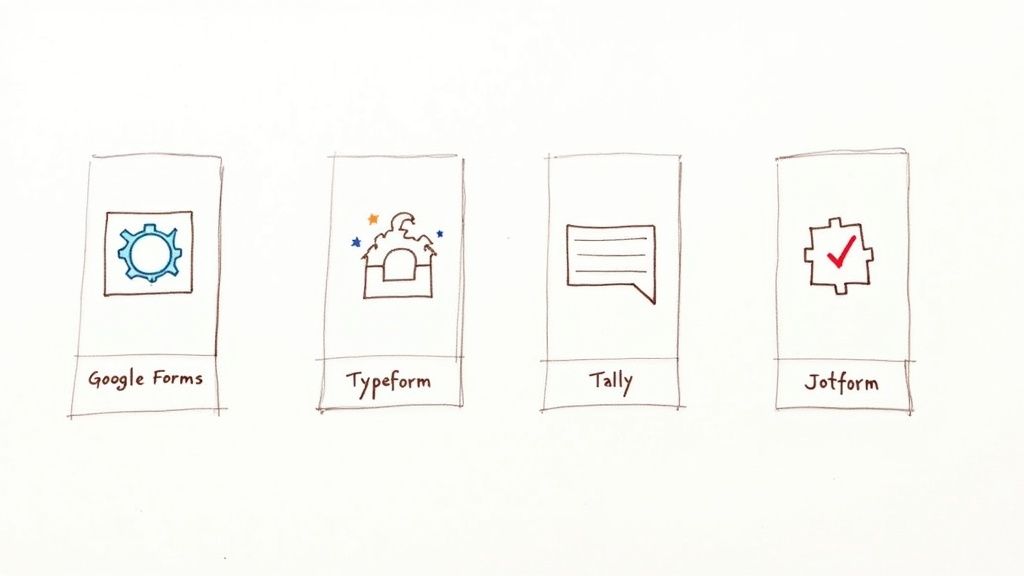
Choosing a form builder can feel overwhelming, with each option offering a unique set of features. Let's explore some of the most popular choices to help you find the perfect fit, focusing on their usability, benefits, and ideal use cases.
Think of these tools as partners in your data-gathering journey. Whether you need something fast and functional or a beautifully designed, engaging experience, there’s a form builder out there for you.
Google Forms: The Dependable Classic
For users who need a reliable, no-frills tool, Google Forms is the go-to choice. Its primary benefit is being completely free and incredibly easy to use. It integrates seamlessly with the entire Google ecosystem, making it a workhorse for quick data collection.
Usability: Its straightforward interface allows users to create a survey or registration form in minutes. Anyone familiar with Google Docs or Sheets will feel right at home.
How Users Can Use It: It's perfect for educators creating quizzes, small businesses gathering feedback, or individuals organizing events. All responses are automatically collected in a Google Sheet, simplifying data analysis.
Typeform: The Conversational Artist
If you’re tired of static, boring forms, Typeform offers a refreshing alternative. Its major benefit is turning data collection into a friendly, interactive conversation. By asking one question at a time, it creates a sleek experience that feels more personal and engaging.
Usability: While highly focused on design, its builder is intuitive, guiding users to create visually appealing forms that are a pleasure to fill out.
How Users Can Use It: This approach is fantastic for boosting completion rates. Marketers can use it for lead capture, researchers for user interviews, and businesses for customer feedback forms that leave a lasting, positive impression.
Tally: The Minimalist Powerhouse
What if you could access powerful features without a hefty price tag? That's the core benefit of Tally. It stands out with an incredibly generous free plan that includes unlimited forms and submissions—a rare offering in the market.
Usability: Tally’s interface feels more like writing in a document than using a traditional builder. Users simply type to add questions and blocks, making the creation process feel natural and fast.
How Users Can Use It: It’s an excellent choice for startups, creators, and small businesses who need advanced features like payment integrations and conditional logic without a significant budget.
To give you a clearer picture, here’s a quick rundown of how these tools stack up against each other.
Quick Comparison of Popular Form Builders
A side-by-side look at the core strengths and ideal users for leading form builder tools.
| Form Builder | Best For | Key Feature | Pricing Model |
|---|---|---|---|
| Google Forms | Quick, simple data collection for education, internal teams, and personal projects. | Seamless integration with Google Workspace and 100% free. | Free |
| Typeform | Creating beautiful, engaging, and interactive forms for marketing and user feedback. | One-question-at-a-time conversational style. | Freemium (with significant feature limitations) |
| Tally | Startups and individuals who need powerful features without the cost. | Generous free tier with unlimited forms and submissions. | Freemium (most core features are free) |
| Jotform | Businesses needing robust features, extensive templates, and complex integrations. | Massive template library and advanced conditional logic. | Freemium (with submission and storage limits) |
Choosing the right tool often comes down to balancing features, user experience, and cost. There's no single "best" option—just the one that's best for your specific needs.
The choice of a form builder often reflects regional trends and practical needs. For example, in Ukraine, the web development community’s preference for customisable and cost-effective solutions is clear.
It's fascinating, really. While global players are popular, local market data shows that solutions built on WordPress are king. Among online form builders used in Ukraine, Contact Form 7 holds a commanding 84.4% market share as of 2025, with Google Forms trailing at a distant 11.1%. This shows a strong preference for open-source tools that can be easily tweaked and localised for a fast-growing digital economy.
If you're curious, you can discover more insights about form technology trends in Ukraine. This market reality proves that for many businesses, the winning formula is a tool that perfectly balances low cost with high flexibility.
Think Your Forms Are Just for Data Entry? Think Again.
Most of us view online forms as digital paperwork, but they are actually one of the most underrated tools for supercharging your workflow. The benefit of ditching clunky documents or fillable PDFs isn't just a minor improvement; it’s a giant leap in efficiency.
Just ask one organisation in Wales. They took on the mammoth task of converting over 150 different Word forms into slick, user-friendly online versions. The result? They saved a staggering amount of admin time and finally put an end to the nightmare of version control and accessibility issues.
That’s the real magic of a modern form builder: it’s not just about collecting information, it’s about what happens next.
Put Your Data to Work—Automatically
A great form doesn't just sit there. Users can leverage it as a lead-generating machine for marketing teams, a direct feedback line for product development, or a self-managing registration desk for event planners.
The secret sauce here is automation. Picture this workflow:
- A potential customer fills out your contact form.
- Instantly, their details zip over to your CRM and get added to your Mailchimp audience.
- At the same time, your sales team gets a ping on Slack, telling them a hot new lead just landed.
All of this happens without you lifting a finger. That kind of hands-off efficiency is exactly what you need to grow without getting bogged down in manual tasks. It's a core idea we explore in our guide to the Lean Business Model Canvas.
Craft Smarter, More Personal Experiences
Another game-changing feature is conditional logic. This lets your form react and change based on how someone answers. It turns a static list of questions into a dynamic conversation, only asking what’s relevant. This makes the whole experience quicker, smoother, and feel way more personal for your users.
A form builder isn’t just a tool for asking questions; it's a strategic asset for getting the right answers from the right people, boosting efficiency, and helping you make smarter, data-driven decisions.
This smarter way of gathering information is becoming non-negotiable. Take Ukraine, where a rapidly growing digital economy is pushing businesses to work more efficiently. In 2024 alone, Ukrainians spent around 239 billion UAH online, a 25% jump from the previous year. To keep up with that kind of growth, businesses are leaning heavily on form builders to manage everything from customer orders to feedback. You can discover more about Ukrainian eCommerce trends and insights on promodo.com.
When you bring a modern form builder into your toolkit, you’re not just digitising a task. You’re building an automated, insightful engine that can unlock potential you never even knew you had.
How to Choose the Right Form Builder for Your Needs
Feeling a bit lost in the sea of form builder options? You’re not alone. Picking the right tool can feel like trying to find a needle in a digital haystack, but it doesn't have to be a guessing game. A little clarity on what you actually need can turn a confusing choice into a confident decision.
This section is your compass. We’ll walk through a practical checklist to help you find the perfect match for your goals, whether you're sending a quick survey or building a complex registration system. By focusing on a few key areas, you can quickly filter out the noise and hone in on a tool that works for you, not against you.
First things first, what's the main job you need this form to do? This handy decision tree can help you visualise which path to take based on your core objective.
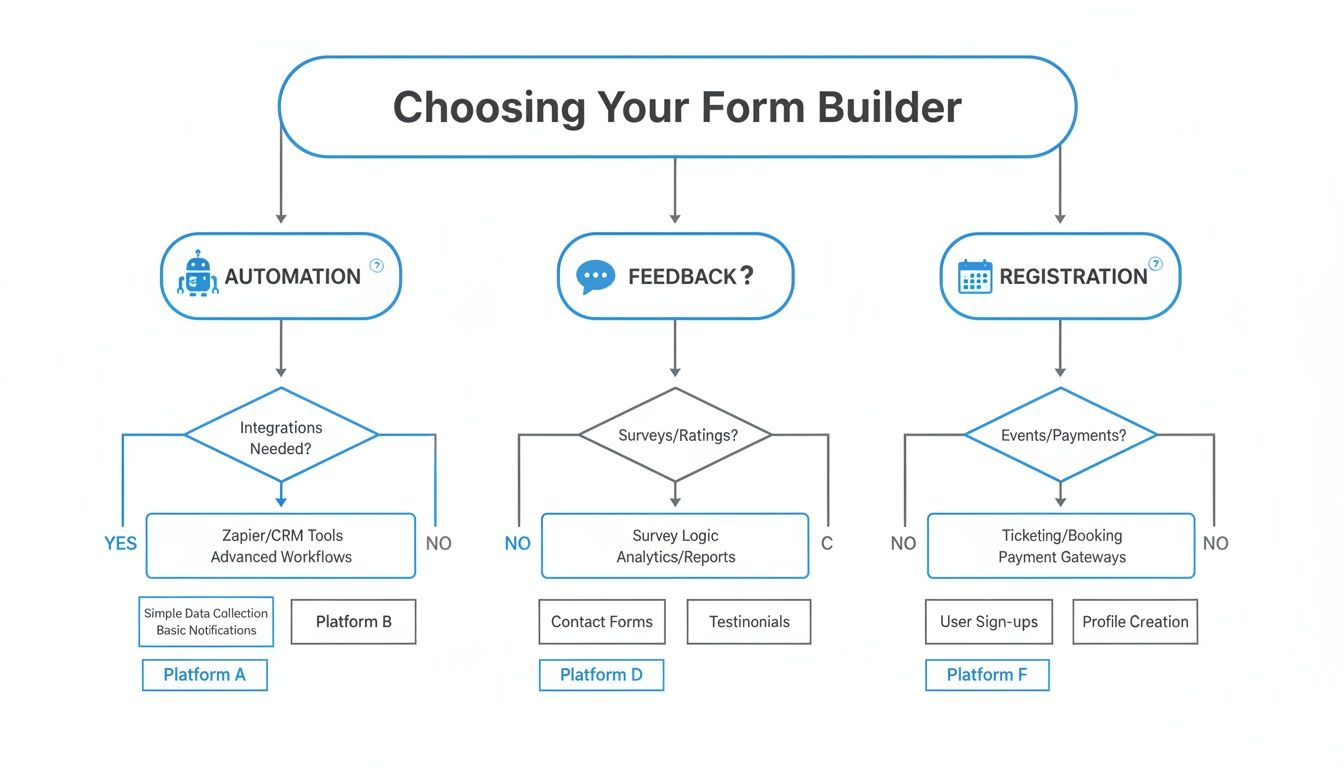
As you can see, your end goal directly influences the features you should prioritise. Are you automating a workflow? You’ll want deep integrations. Just gathering feedback? Simplicity is king.
Start with Usability and Customisation
Let’s be honest: the best form builder is one you’ll actually use. Usability is everything. Can you jump in and build something useful in a few minutes without reaching for a user manual? A clean, intuitive drag-and-drop interface is your best friend here.
Just as important is customisation. Your form is an extension of your brand, and a clunky, off-brand form can tank your completion rates. Look for a tool that lets you easily tweak colours, fonts, and layouts to create a seamless experience for your audience.
Check the Integrations and Response Limits
A form builder doesn’t live on an island. It has to play nice with the other tools you already rely on. Before you commit, make sure it integrates smoothly with your essential apps, like:
- Email Marketing: Mailchimp, ConvertKit, etc.
- Team Communication: Slack, Microsoft Teams.
- CRM: HubSpot, Salesforce.
- Project Management: Trello, Asana, Notion.
Next up, it’s time to read the fine print—especially on the free plans. Many builders impose sneaky response limits, capping the number of submissions you can receive each month. If you’re expecting a flood of responses, this is a deal-breaker. It pays to compare the details of their pricing plans so you don’t get unexpectedly cut off.
The crucial details people often forget are security and data compliance. Is the platform GDPR compliant? Does it offer SSL encryption to protect sensitive information? Don’t skip this part!
Ultimately, choosing the right form builder comes down to matching its strengths to your specific needs. By weighing up usability, customisation, integrations, and the nitty-gritty details like response limits and security, you'll have a solid framework to select a tool that fits your goals, budget, and skills perfectly. Take the time to choose wisely, and you'll end up with a powerful asset, not just another piece of software.
Creative Ways to Use Your Form Builder
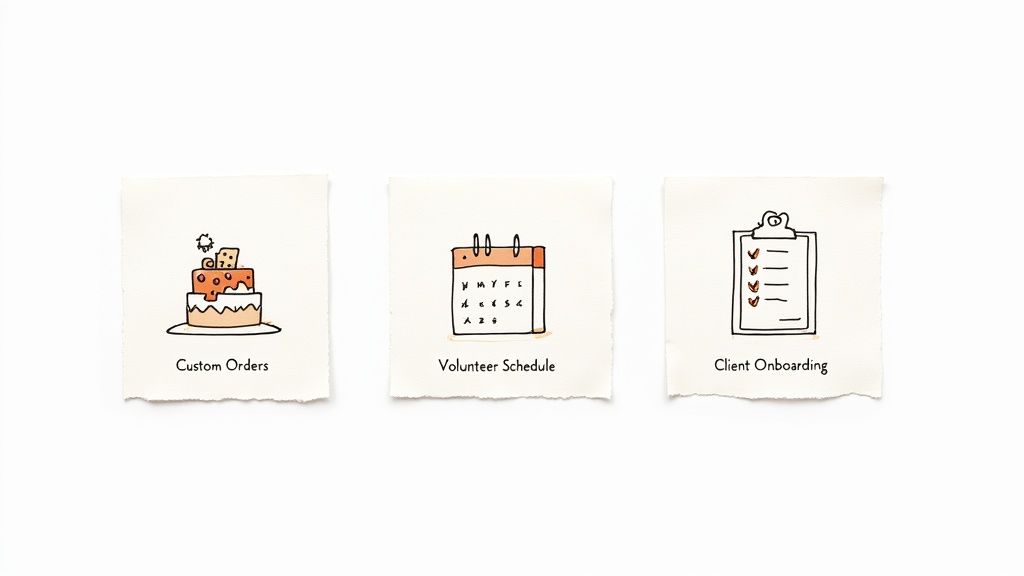
Ready to think beyond the humble "Contact Us" page? A good form builder is like a Swiss Army knife for your daily grind, capable of solving problems you didn't even know you had. Let’s dive into some clever, real-world examples that show how users can leverage these tools.
These are practical applications that people are using right now to save time, stay organized, and improve their customer experience. You'll see just how much potential is hiding inside this simple tool.
From Cake Orders to Client Onboarding
Picture a local bakery, swamped with custom cake requests via phone, DMs, and messy emails. By setting up a simple online order form, they can create a streamlined process. Customers can easily select flavors, sizes, and icing from dropdown menus and even upload inspiration photos. The benefit is clear: a smoother, error-free ordering system for both the bakery and its clients.
This isn't just about being tidy; it's about building a rock-solid workflow. A freelance consultant can use a form to onboard a new client, capturing every project requirement, budget detail, and critical deadline before the first meeting. This simple step ensures nothing gets lost in translation and is a crucial part of a well-oiled document management workflow.
Organising Volunteers and Getting Real Feedback
Now, think of a non-profit managing volunteer schedules with a confusing spreadsheet. A single form can fix that. Volunteers can use it to sign up for shifts, list their skills, and sign digital waivers in one place. This usability benefit saves administrators hours of manual coordination.
The real magic of a form builder is how it turns chaotic, manual tasks into simple, automated systems that practically run themselves.
And when the event is over? That same tool becomes your feedback machine. Instead of a generic "How did we do?" email, you can create an engaging survey with conditional logic. For instance, if a guest rates their experience poorly, the form can automatically prompt them for more specific details. This gives you priceless insights you can actually use, turning a simple follow-up into a powerful data-gathering mission.
- Custom Product Orders: A lifesaver for artisans, caterers, or anyone selling personalised stuff. Capture all the specs, let customers upload files, and even take payments.
- Client Intake and Onboarding: Essential for freelancers, agencies, and consultants. Get all the project info you need in one clean submission to start strong.
- Event and Volunteer Management: Perfect for non-profits and event planners. Handle registrations, schedule helpers, and collect feedback without breaking a sweat.
- Job Applications: Ditch the overflowing inbox. Create an application form that collects résumés, asks screening questions, and organises your candidates for you.
Honestly, these examples are just the beginning. From patient intake forms at a clinic to bug reports for a software team, a form builder is a flexible powerhouse. If you get a little creative, you can use this simple tool to solve some surprisingly complex problems and build smoother processes for just about anything you're working on.
The Future of Forms? Think Smarter, Not Harder.
Let's be honest, the good old online form hasn't changed much in years. But that's all about to get a serious shake-up. We're moving away from the clunky, manual process of dragging and dropping fields and into an era of truly intelligent, connected tools. The future of forms isn't just about collecting data; it's about what happens next.
First, let's talk about the AI elephant in the room. Imagine just telling your form builder, "Whip up a quick survey to get feedback on our new feature." Instead of you fiddling with question types, an AI assistant builds the whole thing, suggesting questions that actually get good responses and laying it out perfectly to keep people engaged. It’s less about doing the grunt work and more about getting a better form, in a fraction of the time.
The other massive shift is how forms plug into everything else you do. A form submission shouldn't be a dead end where data goes to die in a spreadsheet. It should be a trigger, the starting gun for a whole series of events.
The big idea is this: forms are becoming the automated command centre for your workflows, cutting out the boring manual steps and making everything just… work.
Think about it. A new client fills out an onboarding form, and poof – a contract is automatically generated and sent for signature, a new project card pops up in your Trello board, and a welcome email is scheduled. You haven't lifted a finger. That's the kind of deep integration that turns a simple form into the brain of your operation.
Got Questions About Form Builders? We've Got Answers.
Let's cut through the noise and tackle the questions that always seem to pop up when you're just getting your feet wet with a form builder. Think of this as your personal cheat sheet for clearing those first few hurdles and getting straight to the good stuff.
So, Can My Form Take Payments?
You bet it can! Pretty much any modern form builder worth its salt is designed to handle money. They don't process the payments themselves, but they cleverly plug into the payment gateways you already know and trust.
This means you can easily hook up your form to services like Stripe or PayPal. Once connected, your simple form can sell products, take donations, or handle event sign-ups, effectively becoming a mini-checkout page. Easy as that.
How Do I Keep Spam Bots from Wrecking My Inbox?
Ah, the dreaded spam submissions. Nothing kills your productivity faster than sifting through junk from bots. Thankfully, any good form builder comes armed with a few tricks to keep your data clean.
The most common weapon is CAPTCHA (and its less-annoying cousin, reCAPTCHA), which makes users prove they're human before they can submit. Another smart tactic is a hidden timer; if a form gets filled out in, say, under three seconds—faster than any human could realistically type—the system automatically flags it as spam and kicks it to the curb.
The real magic of conditional logic isn't about being fancy; it's about creating a smarter, more respectful conversation. You're only showing people what's relevant to them, which saves their time and makes them way more likely to finish what they started.
What's This "Conditional Logic" Thing Everyone Mentions?
Conditional logic is basically your form’s secret superpower. It’s what allows you to build dynamic, intelligent forms that adapt in real-time based on how someone answers a question.
Picture a simple feedback form. It asks, "Did you enjoy our workshop?" If they click "Yes," a new field might pop up asking for a glowing testimonial. But if they click "No," the form instantly shows a different question: "So sorry to hear that! What could we have done better?" It’s this simple branching that makes the whole experience feel less like a form and more like a real conversation.
Ready to build smarter forms and docs in a snap? With Notie, you can turn a simple idea into a working form or an organised page, all in one seamless workflow. Start building for free with Notie.