
Client Onboarding Best Practices (+ Free Checklist)
Discover client onboarding best practices to build trust and start projects smoothly. Includes a checklist, templates, and key mistakes to avoid.
2026-01-12
That initial post-contract glow can fade fast, right? One minute you're celebrating a new client, and the next you're drowning in disorganized emails, missed expectations, and scope creep. It’s a common nightmare for freelancers and agencies, but it’s not inevitable. The secret weapon is a rock-solid client onboarding process.
This isn't about boring paperwork. It’s about crafting an experience that builds trust, sets crystal-clear expectations, and makes your clients feel they've made the smartest decision by choosing you. A streamlined onboarding workflow transforms messy kickoffs into a smooth system that sets every project up for success.
What you'll learn:
Why onboarding matters for client relationships
7 best practices to onboard clients smoothly
A ready-to-use onboarding checklist
Common mistakes and how to avoid them
What Is Client Onboarding?
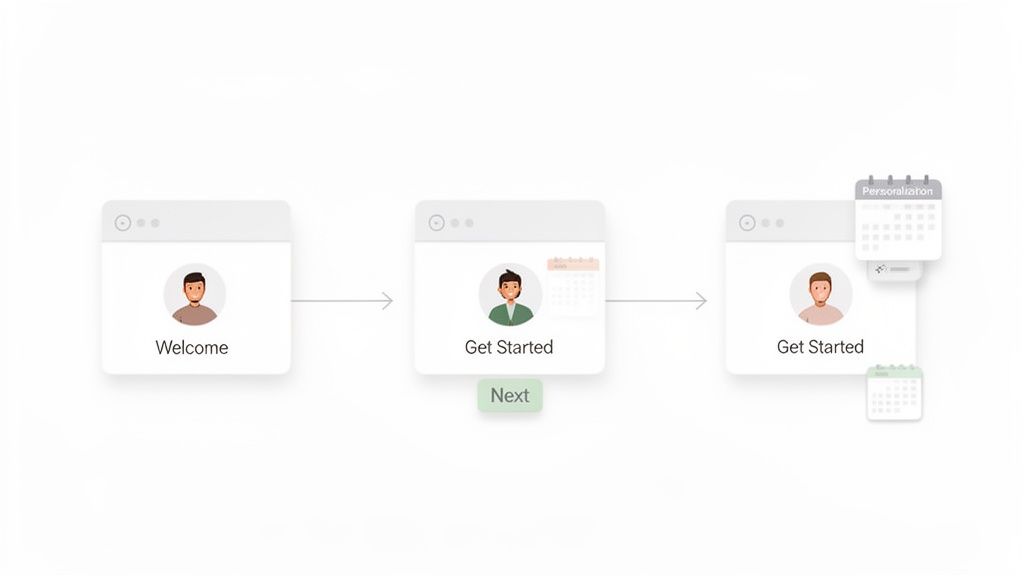
Client onboarding is the process of welcoming new clients, gathering necessary information, setting expectations, and preparing them for a successful project. It's the critical transition period between the sales process and the start of your work together. A great onboarding workflow ensures everyone is aligned, informed, and ready to collaborate effectively from day one.
Why Client Onboarding Matters
A strong client onboarding process is your first opportunity to prove your value and professionalism. It helps you:
Reduce Miscommunications: Clear expectations from the start prevent confusion later.
Start Projects Faster: Gathering all necessary information upfront means you can get to work without delay.
Improve Client Retention: A smooth, positive first impression builds trust and sets the foundation for a long-term relationship.
Make a Professional Impression: An organized process shows you’re an expert who values the client’s time and investment.
Client Onboarding Best Practices
Here are seven actionable best practices to create a smooth and effective freelance client onboarding experience.
1. Send a client intake form before the first call
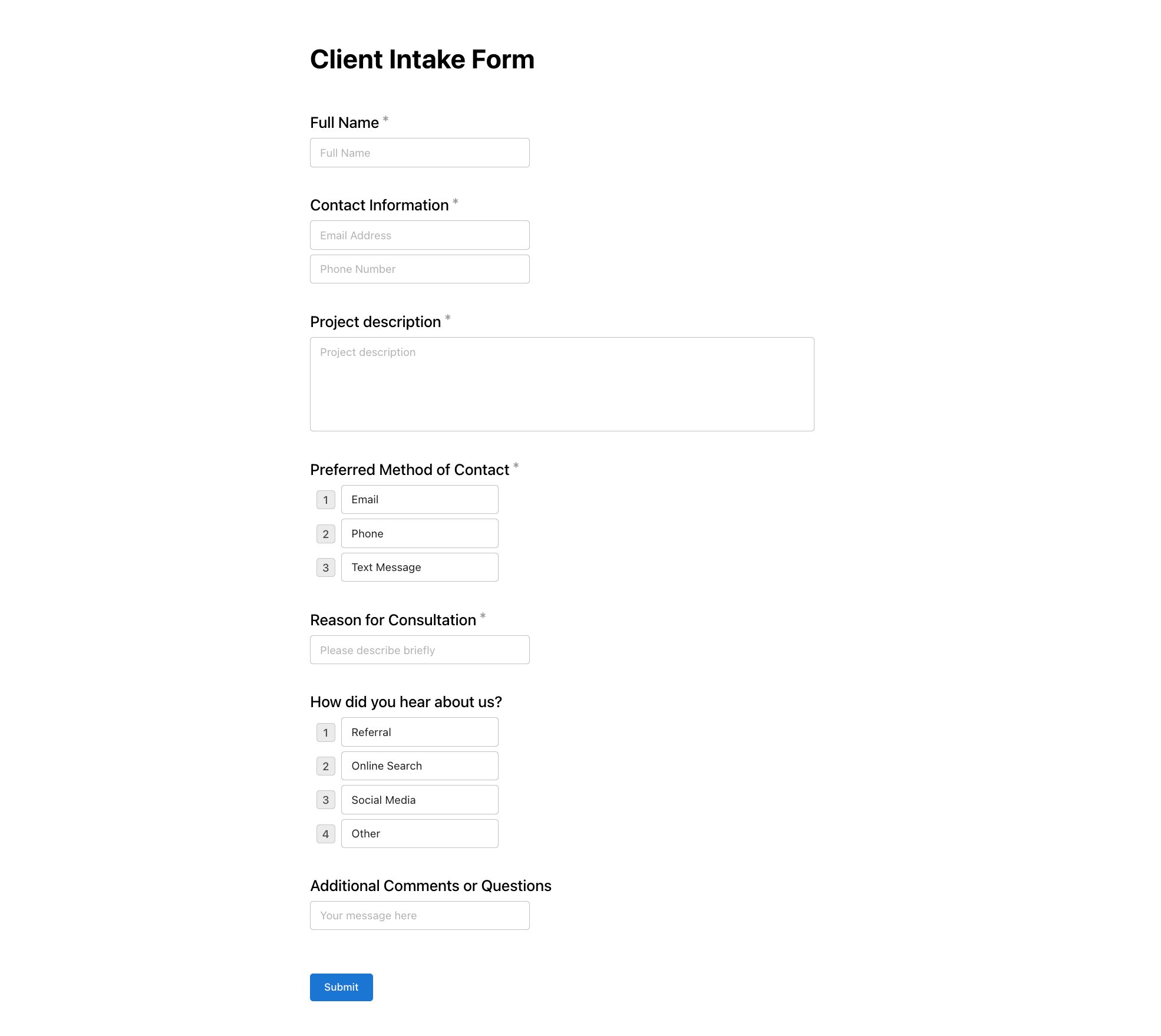
Don't walk into your first project meeting blind. A client intake form is a simple questionnaire you send before the kickoff call to gather essential project details. It helps you understand the client’s goals, budget, timeline, and key stakeholders in their own words. This simple step ensures your first conversation is productive and strategic, not just a fact-finding mission. You show up prepared, and the client feels heard from the very beginning.
2. Set clear expectations on timeline, scope, and communication
Assumptions are the enemy of successful projects. During onboarding, you must explicitly define the rules of engagement. This includes:
Timeline: What are the key project phases and deadlines?
Scope: What is included in the project, and just as importantly, what is not included?
Communication: How often will you provide updates? When are you available?
Documenting these details prevents scope creep and ensures both you and the client have a shared understanding of how the project will run.
3. Define project milestones and deliverables upfront
Vague goals lead to vague results. Break down the entire project into smaller, manageable milestones with specific deliverables tied to each one. For example, instead of just "Website Design," break it down into "Milestone 1: Wireframes," "Milestone 2: High-Fidelity Mockups," and "Milestone 3: Final Design Handoff." This approach makes the project feel less overwhelming, creates opportunities for feedback, and provides a clear roadmap for success that everyone can follow.
4. Establish preferred communication channels
Few things cause more frustration than a scattered conversation across email, Slack, text messages, and project management comments. During onboarding, agree on the primary channels for different types of communication. For instance:
Email for formal approvals and final deliverables.
A Project Management Tool (like Asana or Trello) for task-related questions and updates.
Scheduled Calls for strategic discussions and major reviews.
This simple agreement keeps communication organized and ensures important information doesn’t get lost.
5. Share a welcome packet or onboarding doc
A client welcome packet is a centralized document that contains everything a new client needs to know. Think of it as the project’s instruction manual. It should include contact information, project goals, timelines, communication guidelines, and links to any important tools or resources. This proactive step answers questions before they’re even asked, reduces repetitive back-and-forth, and makes you look incredibly professional and organized. You can check out some great form examples that can be integrated into these docs.
6. Confirm budget and payment terms early
Money conversations can be awkward, which is why it's best to handle them upfront and with total clarity. Your onboarding process should include a formal confirmation of the project budget, payment schedule, accepted payment methods, and your policy for late payments. Re-stating this information, even after the contract is signed, reinforces the terms and prevents invoicing surprises down the road.
7. Schedule a kickoff call with a clear agenda
The kickoff call sets the tone for the entire project. To make it effective, always send a clear agenda beforehand. This isn't just a "hello" call; it's a strategic working session to align on goals, confirm the project plan, and introduce key team members. An agenda ensures the meeting stays on track and covers all critical points, solidifying your role as a proactive, organized partner.
Client Onboarding Checklist
Use this scannable checklist to build a repeatable and effective client onboarding workflow.
✅ Before the First Call:
Send the contract or proposal for signature.
Send the first invoice.
Send the new client intake form to gather initial project details.
Schedule the official project kickoff call.
Send a meeting agenda at least 24 hours before the call.
✅ During the Kickoff Call:
Review goals and define what "success" looks like.
Confirm project scope, timeline, and key milestones.
Establish communication channels and response time expectations.
Introduce all team members and clarify their roles.
Answer any initial questions from the client.
✅ After the First Call:
Send a recap email summarizing key decisions and action items.
Share the client welcome packet or onboarding document.
Grant the client access to necessary tools (project management software, shared drives, etc.).
Set up a shared project folder.
Schedule the next check-in meeting.
Common Client Onboarding Mistakes
Avoid these common pitfalls that can derail a new client relationship before it even begins.
Information Overload. Don't send the client every single document, link, and detail in one massive email. It's overwhelming and guarantees they won't read it.
- Quick Fix: Drip information out over a few days. Send the intake form first, then the welcome packet after the kickoff call. Keep it simple.
Assuming They Know Your Process. Your client has no idea how you work, what your internal processes are, or when you take lunch. Never assume they understand your workflow.
- Quick Fix: Explicitly state your process in the welcome packet and review it during the kickoff call. Over-communication is better than no communication.
Treating All Clients the Same. While a standardized process is efficient, a one-size-fits-all approach can feel impersonal.
- Quick Fix: Use templates, but take a few minutes to personalize them. Reference a specific goal they mentioned or tailor your intake questions to their industry.
Tools to Streamline Client Onboarding
You don't need a complex tech stack. A few key tools can automate and simplify your onboarding workflow:
Intake Forms: Use tools like Notie, Google Forms, or Typeform to create professional intake forms that are easy for clients to fill out. Many modern form builders make this simple.
Project Management: Tools like Trello, Asana, or ClickUp help you track tasks, set milestones, and keep all project-related communication in one place.
Contracts & Invoicing: Use software like HoneyBook, Dubsado, or QuickBooks for sending professional contracts and invoices.
Document Sharing: A simple Google Drive folder or a dedicated tool like Notie can house your welcome packet and other key documents. For more details, check out our guide on how to structure your documents.
Create Your Onboarding Process in Notie
Tired of juggling separate tools for forms, documents, and client communication? Notie brings your entire client onboarding process under one roof. You can create a smart intake form, use the responses to automatically generate a personalized welcome document, and share it all with a single link. It's the simplest way to implement these client onboarding best practices and create a professional, seamless experience.
You can also collect customer feedback in Notie to continuously improve your process.
Build your entire client onboarding workflow in minutes, for free.