
Use case
Coaching session feedback form
Feedback after a session is most useful when you learn why. The feedback form asks how it went first, then asks what the client valued or what fell short, depending on the answer. Rename it for your sessions and send it after a session or at the end of a programme. The session check-in covers the other side: how the client arrives at the next one.
The templates
Open a template to preview every question, or start from it right away. Everything in it can be edited.
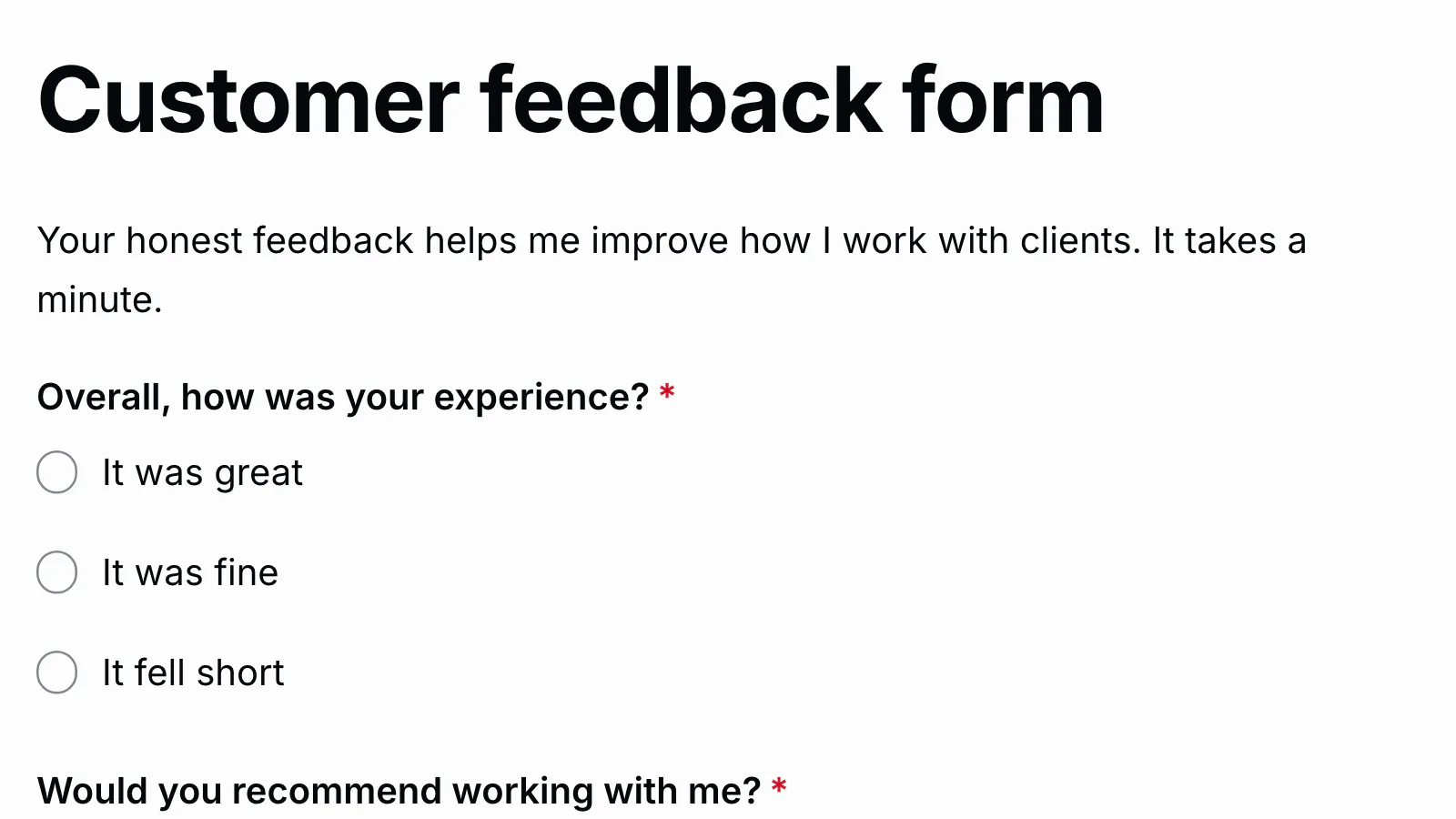
Customer feedback form
6 questions
Ask clients how it went. A follow-up question adapts to the answer: what they valued, or what went wrong.
It asks
- Overall, how was your experience?
- What did you value most?
- What went wrong, and what could I have done differently?
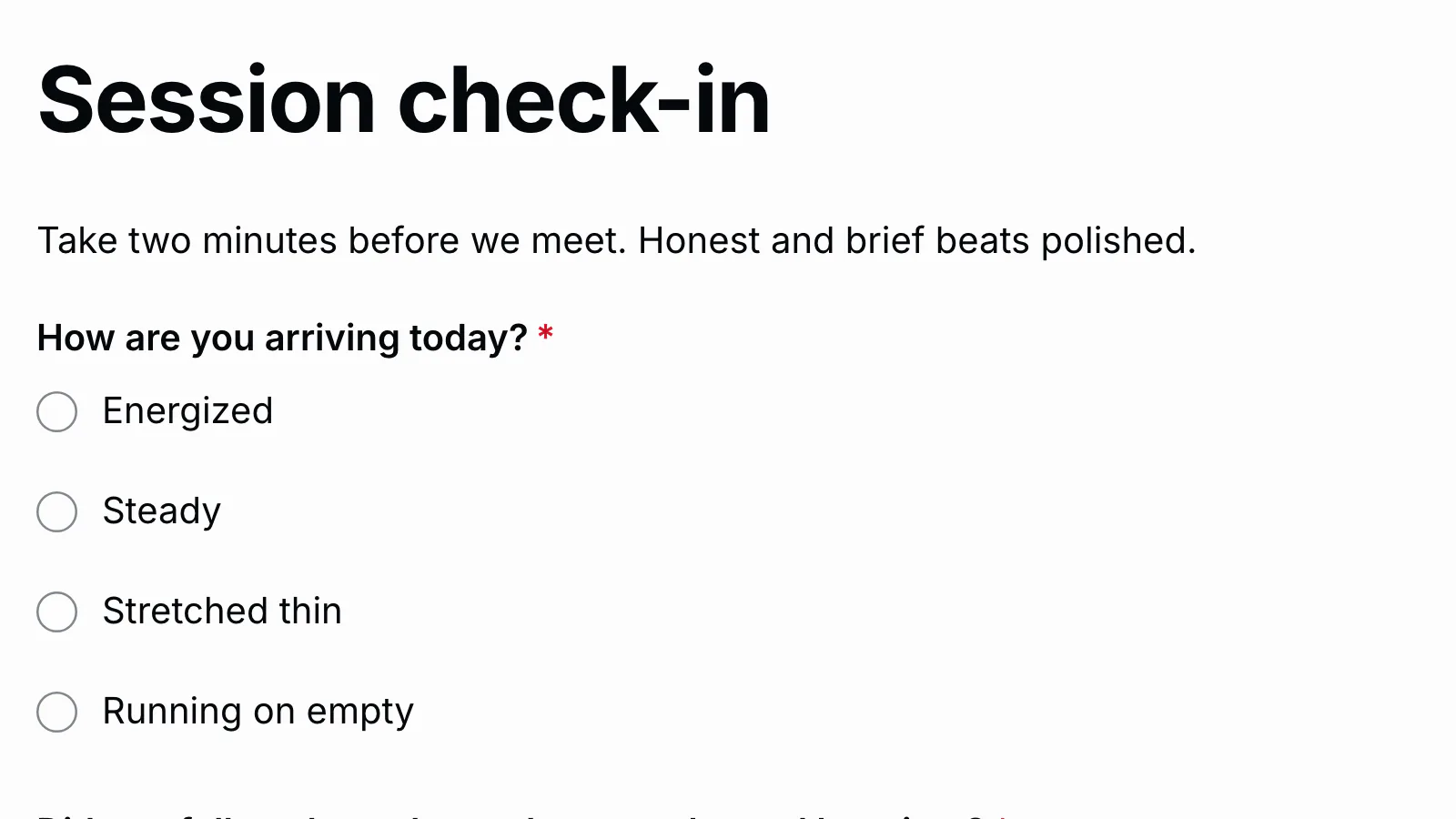
Session check-in
5 questions
A two-minute pre-session form for ongoing clients: how they are arriving, what moved forward, what got in the way and what to focus on.
It asks
- How are you arriving today?
- Did you follow through on what you planned last time?
- What is one win since we last spoke?


What session feedback should ask
How did it go?
One required tap with three answers: it was great, it was fine, or it fell short.
Why, only when it matters
A great session asks what the client valued most; one that fell short asks what went wrong and what you could have done differently.
Would they recommend you?
Four plain answers, from definitely to probably not. A rating scale works the same way: Notie has no star or slider question, so a scale is a single choice with numbered options.
Room to say more
An optional open question, and an email only for clients who would like a reply.
Good to know
- Responses are marked new until you open them, and you can flag the ones to follow up. The form doesn't email you when one arrives.
- The form only asks who someone is if you keep the email question, but each response still records its device and country, so don't promise full anonymity.
- The Free plan has no response limit: every response is visible, exported and synced. Pro, from $19 a month, removes the Notie badge and adds advanced analytics. See the plans.
Read next
From the blog
- How to Collect Customer Feedback That Actually WorksTired of low response rates? Learn how to collect customer feedback with proven strategies that uncover real insights and drive business growth.
- Survey Questions Examples to Get Better ResponsesExplore survey questions examples to boost customer feedback, employee engagement, and product research. Copy-ready templates you can use today.
How-to guides
- How to make a client feedback form with follow-up questionsAsk clients how it went and show a "why" question only after an answer that needs one, using conditional logic in a feedback form.
- How to send clients a check-in before every sessionReuse one check-in link before every coaching session, tell clients apart, and read each answer as a history marked new, seen or flagged.
- How to add answer options to a choice questionAdd, reorder and remove the options of a choice question, allow more than one answer, and label options 1, 2, 3 or A, B, C.
- How to mark responses as seen or flaggedWhat New, Seen and Flagged mean, what marks a response seen, how to flag one, and how to change up to 200 responses at once.
Choosing a form tool? See how Notie compares with Typeform, Tally and Fillout.
More template collections
Start from a template
Free forever, no credit card required. Your clients answer from one link, without an account.
Get started free